We’re thrilled to announce the launch of Drafting on Midpage. It’s now live for all users.
What is Drafting
Drafting equips the Midpage research agent to compose and edit documents. See it in action:
We designed drafting with 2 workflows in mind:
- Autonomous first drafts
- Collaborative editing
How It Works
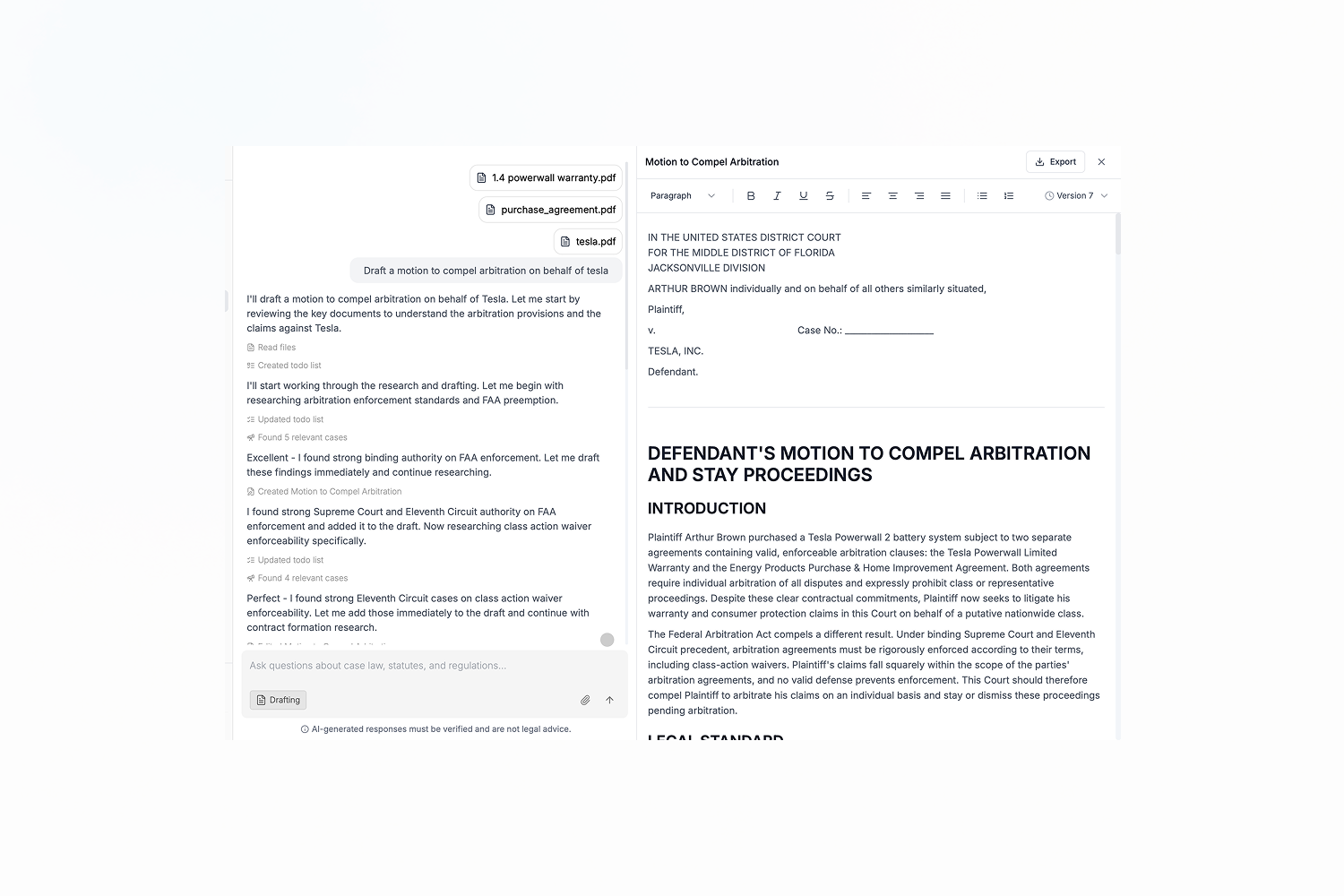
For this example I’ve uploaded a class-action complaint against Tesla based on alleged malfunctions with it’s Powerwall 2 battery and solar panel system, alongside the corresponding warranty and purchase agreement.
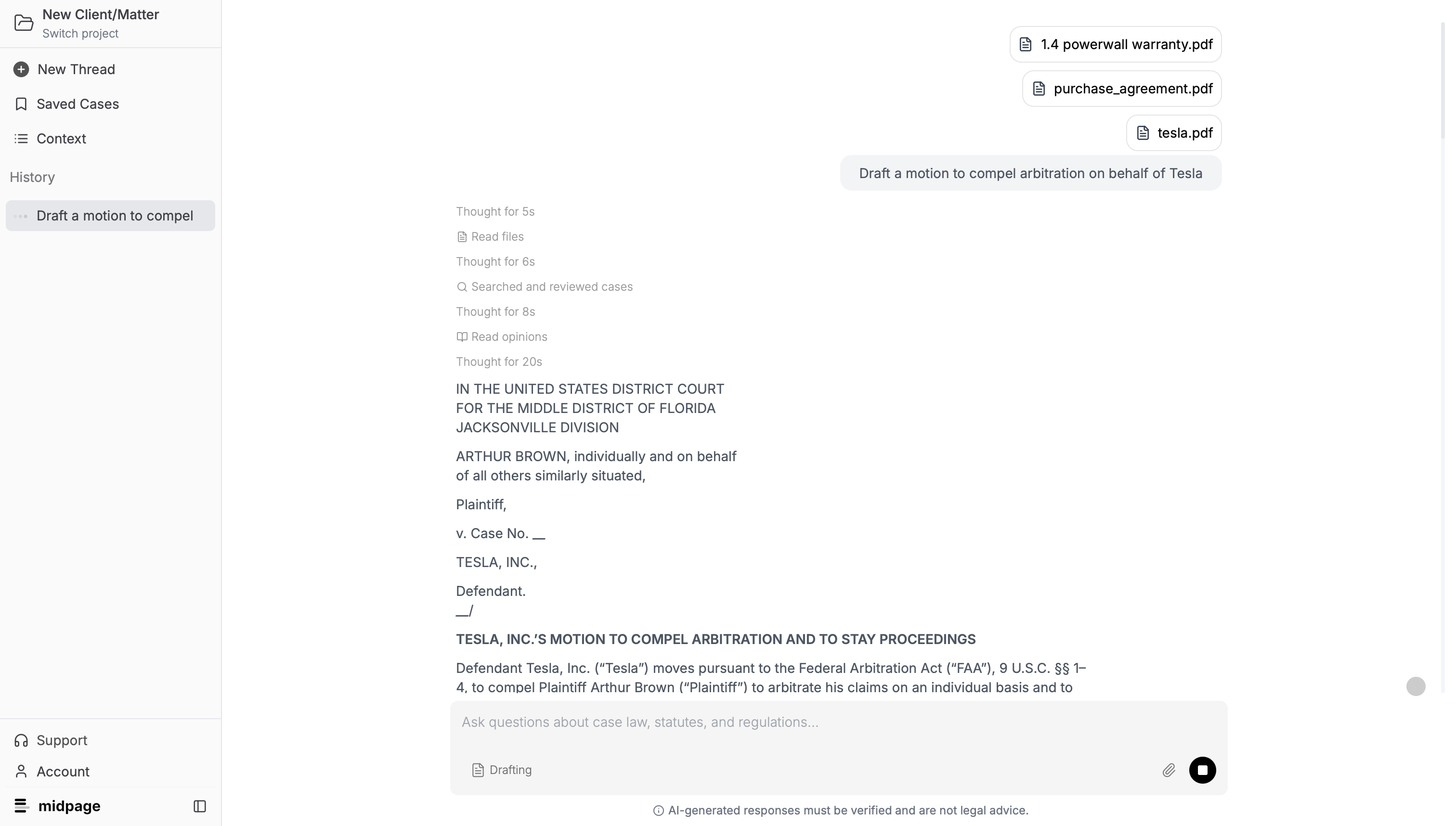
Without drafting mode, the agent conducts research and then outputs the requested deliverable, a motion to compel arbitration, directly into the chat.
1. Draft a motion to compel arbitration on behalf of Tesla
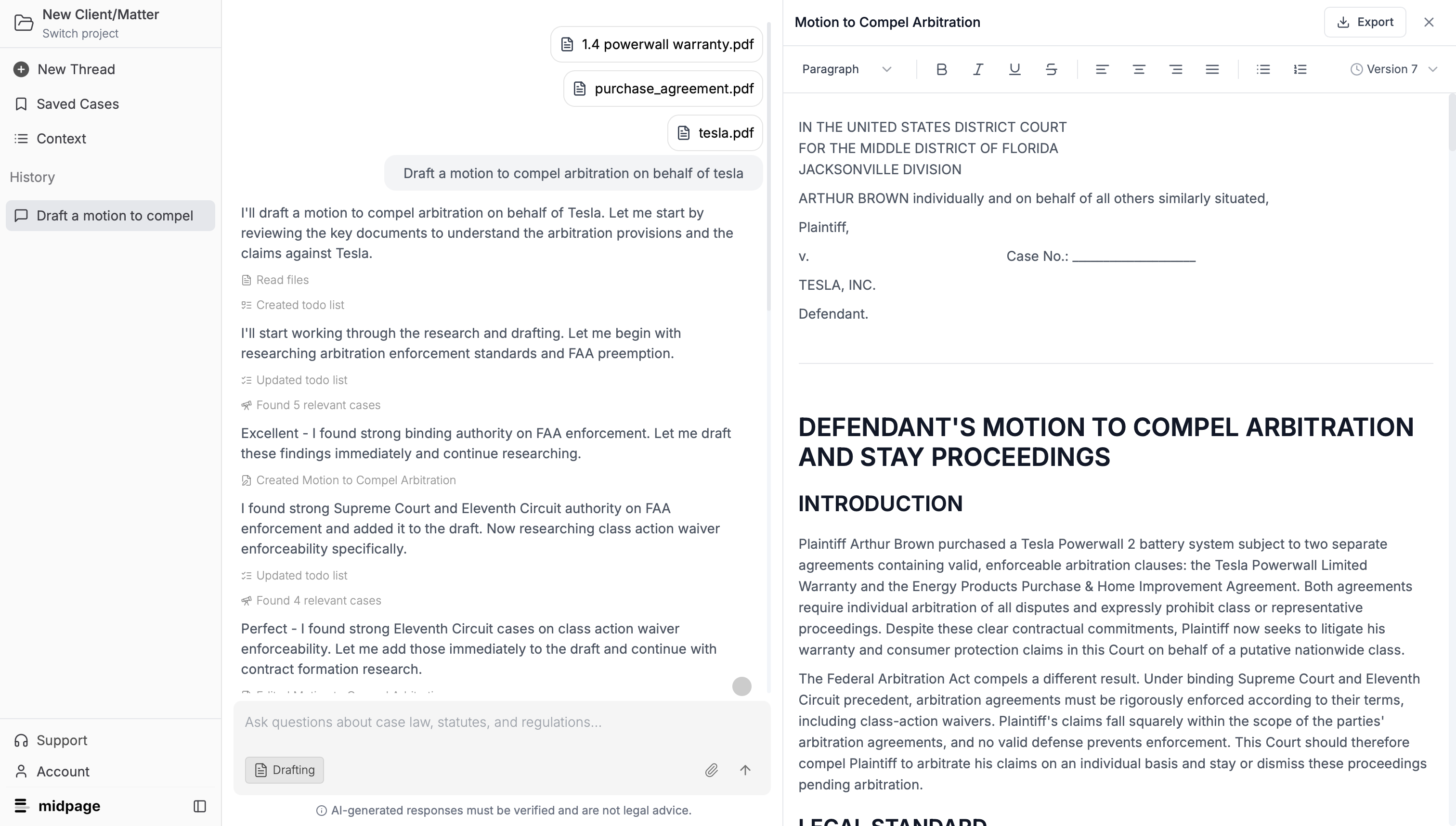
With drafting turned on, however, the agent writes a fully formatted document, ready to be edited or exported.
Collaborative Editing
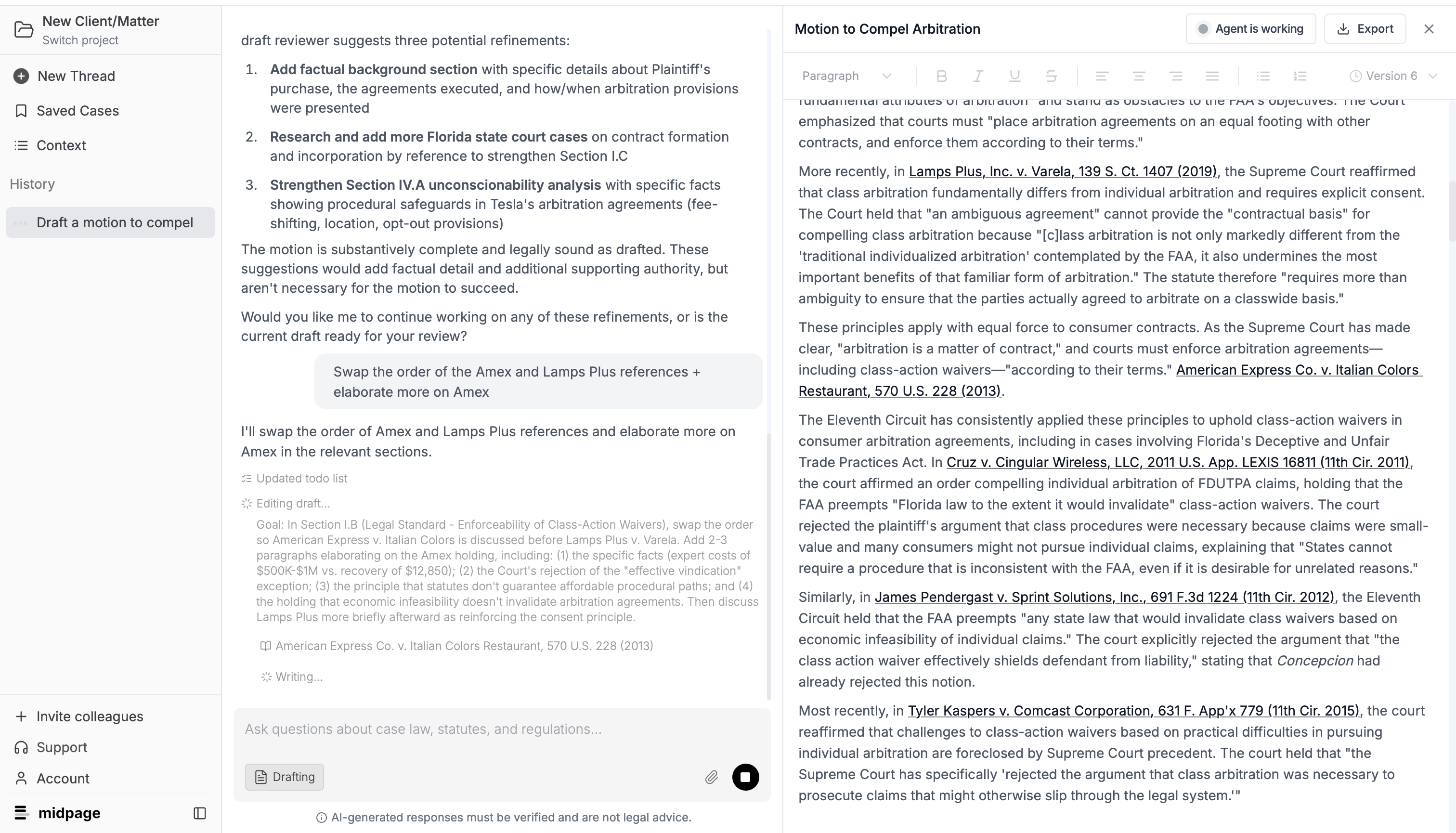
One advantage of using drafting is improved performance on editing since the agent can directly edit drafts, rather than needing to regurgitate the full draft each time. We’ve found that the best results come from iteratively prodding the drafting agent with feedback.
When editing, the drafting agent can continue to do research. It can work for up to 13 minutes on each turn.
Features
- Version control, for you and the drafting agent
- Export drafts as .docx files
- Drafts are fully editable in Midpage
Getting the most out of the drafting agent
- Give the agent as much information as you can. Provide all relevant details, including jurisdiction.
- Specify deliverables. What materials do you want drafted, are there particular references you expect in the end results, etc.
- Give the agent feedback. Going through a few iterations of pointing out shortcomings in the agent’s output and giving it a chance to correct or expand can greatly improve the output quality.
Billing
Drafting is our most capable and resource-intensive feature to date. We’re introducing usage-based pricing, which only applies to drafting mode. New and existing users will still pay $99/month to access all of the same great features (including unlimited use of our regular, non-drafting chat mode), and receive $25 in monthly credits for drafting. Once users exhaust their $25 worth of credits, usage-based billing kicks in and users will be billed for the AI costs of any new messages with drafting mode turned on.
You’ll receive an email at the end of each month with an invoice, and you can monitor usage and set usage caps from Settings.
For team accounts, administrators will be able to monitor and cap usage for team members.